Web · iPhone · iPad · Android · Mac
TreeNotes, wherever you think
Your private notes, from everywhere: that is one of TreeNotes' key strengths. Open the same encrypted tree in your browser, on iPhone, iPad and Android, or on your Mac. Windows follows.


Free to download for iPhone, iPad and Android
One account, every device
Sign in anywhere and your tree is there: synchronized, and decrypted only on the device in front of you.
Web app
New features firstThe most complete TreeNotes, in any modern browser on any computer, with nothing to install. Every new feature arrives here first.
iPhone and iPad
Capture ideas on the go, with your whole tree in your pocket.
Available nowAndroid
Your tree on Android phones and tablets.
Available nowWindows
In development. Until then, use the web app in any browser.
Coming soonYour private notes, from everywhere
Reaching your notes from anywhere is one of TreeNotes' key strengths. Jot down a thought on your phone, work on it at your Mac, look it up later from any browser: it is always the same tree, always in sync.
And it stays private on every one of them: each device encrypts and decrypts your notes itself. Our servers only ever store locked data, however you open TreeNotes.
The web app is the most complete version of TreeNotes, and new features always land there first. The apps bring the same workspace to your home screen and your desktop.
TreeNotes for Mac
A focused native workspace with the same end-to-end encryption and synchronized tree you already use on the web.
Signed with Developer ID and notarized by Apple.
Install in three steps
- 1. Open the downloaded DMG.
- 2. Drag TreeNotes into Applications.
- 3. Open TreeNotes from Applications and sign in.
SHA-256 checksum
6870e1200ef9d3f208a1800a9daf9a9f470ccc980005bc2e0db4972676a93e7b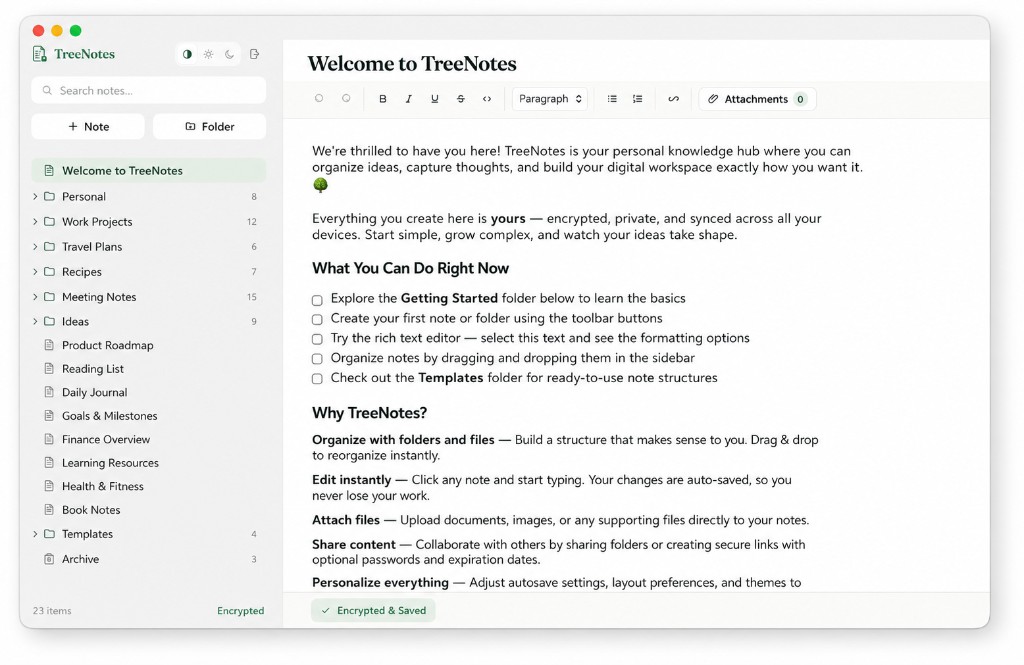
Start in your browser. Continue everywhere.
Create your free account in the web app, then sign in on your phone, tablet or Mac and find your tree waiting. Want the deeper story? Read how we protect your notes on our Security page.
Start free in the web app